Free website hosting on Azure App Services with Github Actions

If you work in IT, there is a high chance that you might need your own website. Having an online presence is great for sharing articles or projects with the world. I had the same thought, and naturally, I wanted a solution that was cheap, or even better, free.
That's when I discovered Azure's free Static Web App service, which is an excellent way to get started. It supports static HTML, CSS, JavaScript, and images. The service integrates seamlessly with GitHub and Azure DevOps, allowing you to host your website code on your GitHub account. Azure can automatically deploy your website whenever you update your code. It also provides a free SSL certificate that renews automatically and offers the option to use a custom domain.
I think this is a fantastic way to gain hands-on experience with web hosting—provided you have some interest and IT exposure. If you're not particularly interested, there are simpler options like WordPress or Squarespace, where you can use a drag-and-drop editor to build your website.
For those keen to learn, Azure's Static Web App is a great way to explore hosting and deploying code. I recommend starting with simple Markdown-based website generators, like Hugo or Gatsby, to ease into the process.
How to deploy the Azure Static Web App
Create a Static Web App:
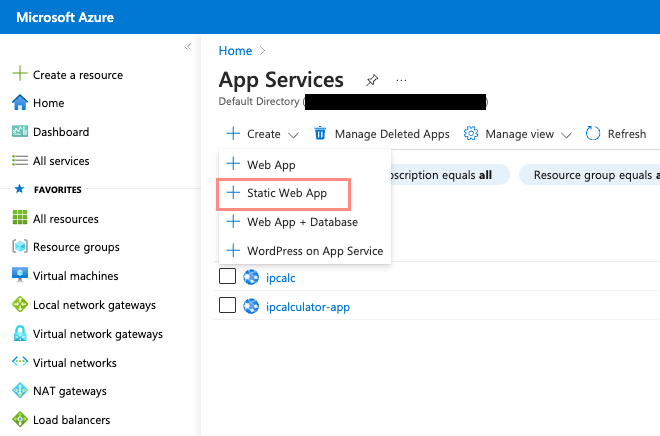
- Go to Azure App Services and create a new Static Web App.
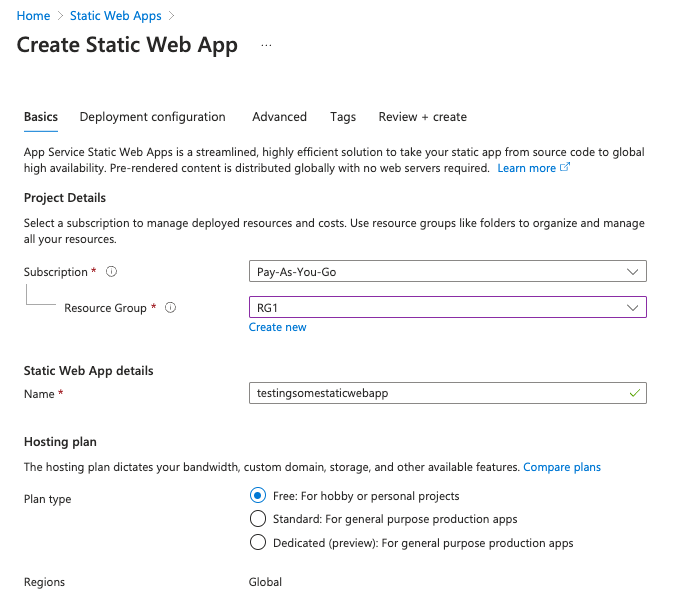
- Select a resource group and give your website a name. Choose the Free plan, which is perfect for personal use.
Select Your Source:
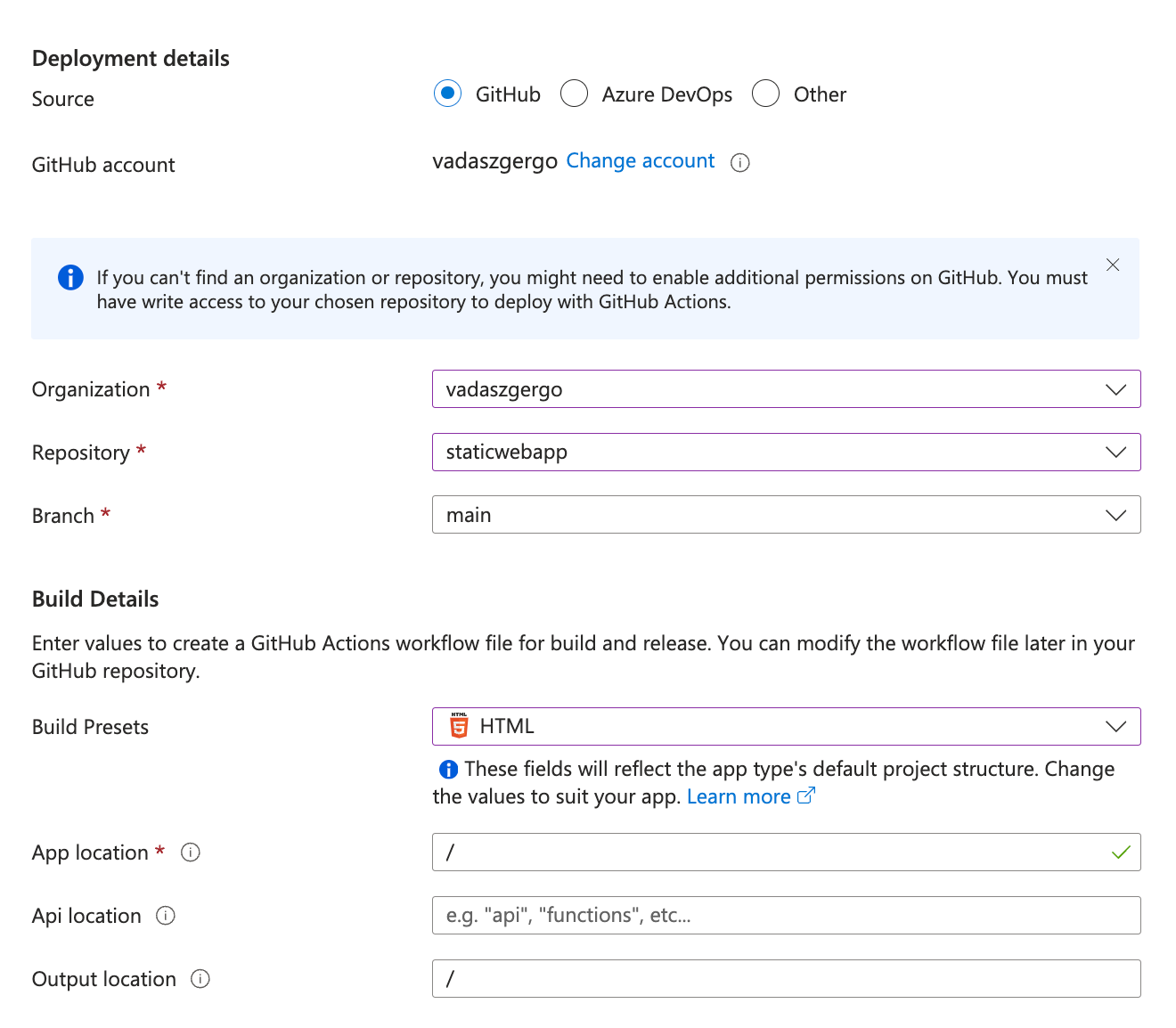
- Choose GitHub or Azure DevOps as the source for your website code.
Configure the Repository:
- Select the appropriate repository and branch in Azure so it knows which code to deploy to the Static Web App.
- Choose the build preset that matches your project (e.g., HTML, Hugo, or another framework).
Set Deployment Authorization:
- Configure the deployment authorization policy using GitHub or a deployment token.

That's it! Once the static web app is created, Azure generates a GitHub Actions workflow file. This workflow automatically triggers a deployment every time you commit changes to your GitHub repository.

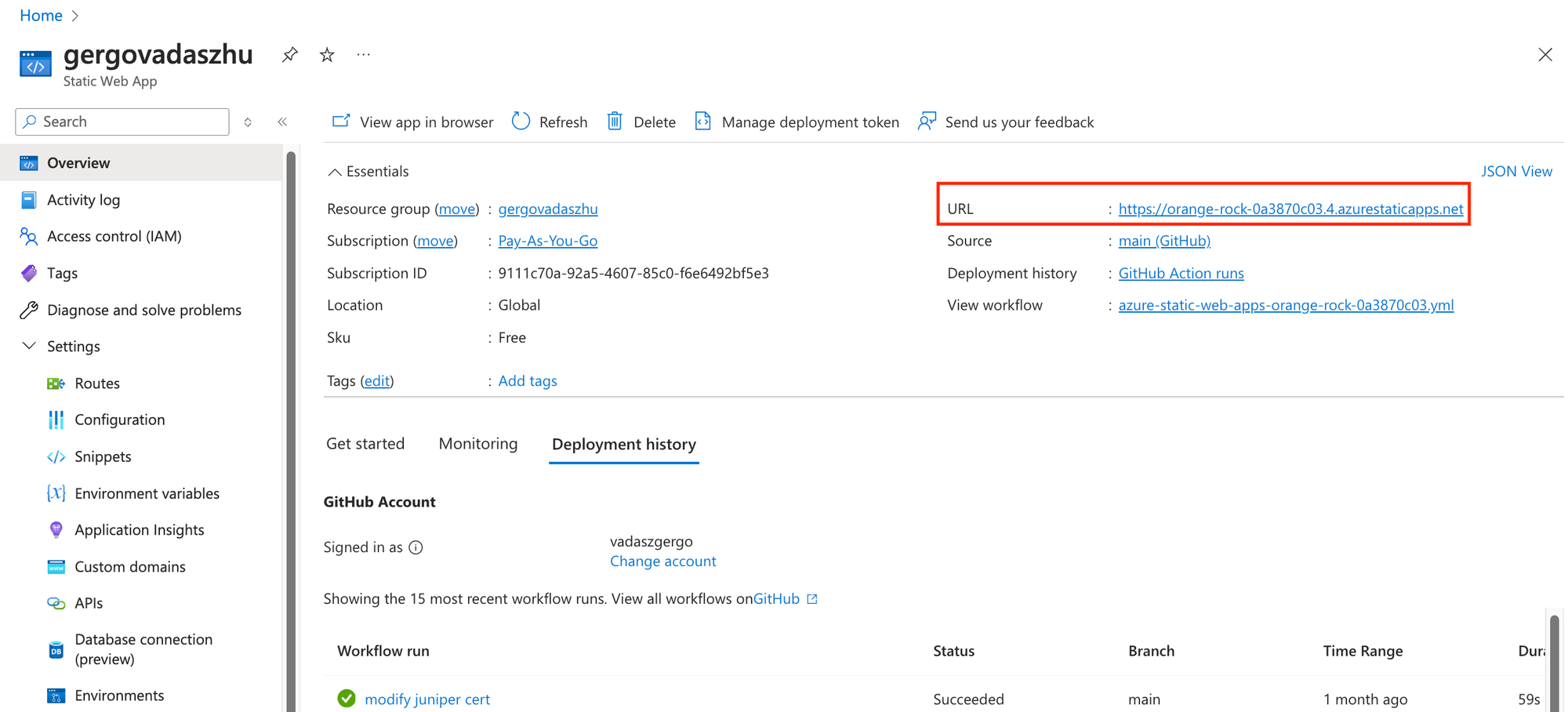
After the deployment completes, your website will be live and accessible via the URL provided by Azure. The website will display the content of the files in your repository. The URL is a bit strange, but there are ways to assign your custom domain to it. We'll see that in another article.
Why Choose Azure Static Web App?
Azure Static Web App is an excellent way to get familiar with:
- Building and hosting simple web pages.
- Automating deployments using GitHub Actions.
- Understanding the basics of web hosting and version control.
I strongly believe this is an ideal first step toward gaining experience in web development. It’s not only practical but also a rewarding way to expand your knowledge and skills.