Free Uptime Monitoring Using a Self-Hosted Solution

I recently encountered a peculiar issue with one of my clients. They were experiencing intermittent connectivity problems with a specific website—random occurrences a few times a day where the site would become unreachable. They suspected the issue might be within their Azure virtual network environment. However, after a thorough review of their setup, I was fairly confident that the problem wasn’t on the Azure side. The challenge was proving it definitively.
What caught my attention was the website’s unusual rate-limiting behavior. If I tested the site multiple times in quick succession, I would get blocked for 15 minutes. This behavior initially sidetracked me, but I eventually realized I needed a way to monitor the website’s uptime to determine if it was going down intermittently. That’s when I started exploring uptime monitoring solutions.
There are several free or trial-based SaaS solutions available in the market, such as:
- UptimeRobot
- Pingdom
- Site24x7
While these tools are great, I wanted something more flexible and self-hosted since I already own a few servers. That’s when I discovered Uptime Kuma, a free, open-source uptime monitoring tool. Its code is available on GitHub, and it offers both Docker and non-Docker installation options. I opted for the Docker installation since I already had other containers running.
Getting started with Uptime Kuma is incredibly straightforward. With just a single Docker command, you can have it up and running:
docker run -d --restart=always -p 3001:3001 -v uptime-kuma:/app/data --name uptime-kuma louislam/uptime-kuma:1Uptime Kuma boasts a clean, responsive user interface and is packed with features. It supports monitoring for a wide range of services, including:
- HTTP/HTTPS
- TCP
- Ping
- gRPC
- DNS
- MQTT
- Various databases (MySQL, PostgreSQL, etc.)
- RADIUS
You can configure monitors with specific HTTP methods, expected response codes, headers, and even response bodies, making it highly customizable.
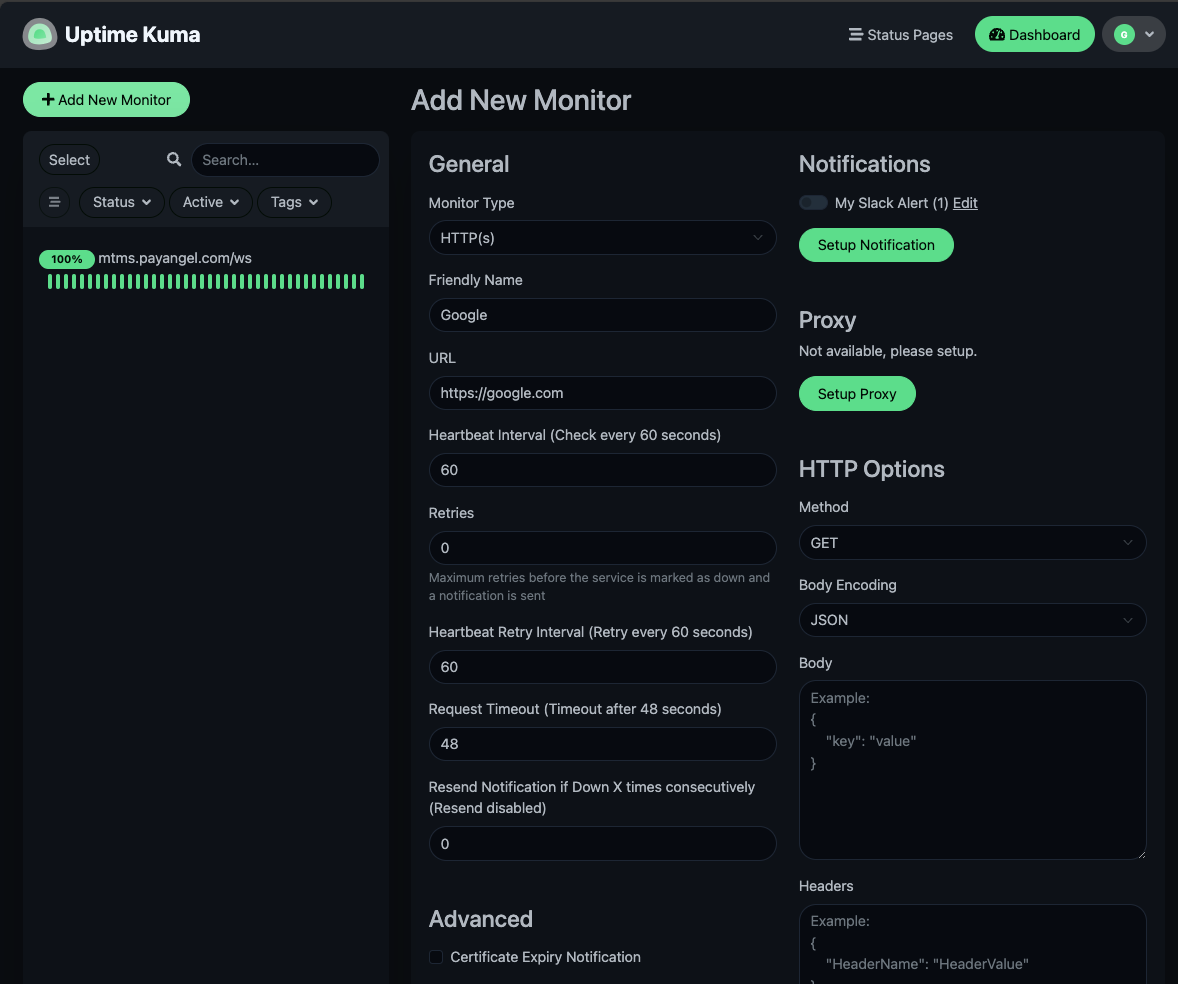
Once you’ve added a monitor, Uptime Kuma provides detailed charts and logs showing the service’s uptime and downtime. This makes it easy to identify patterns or recurring issues.
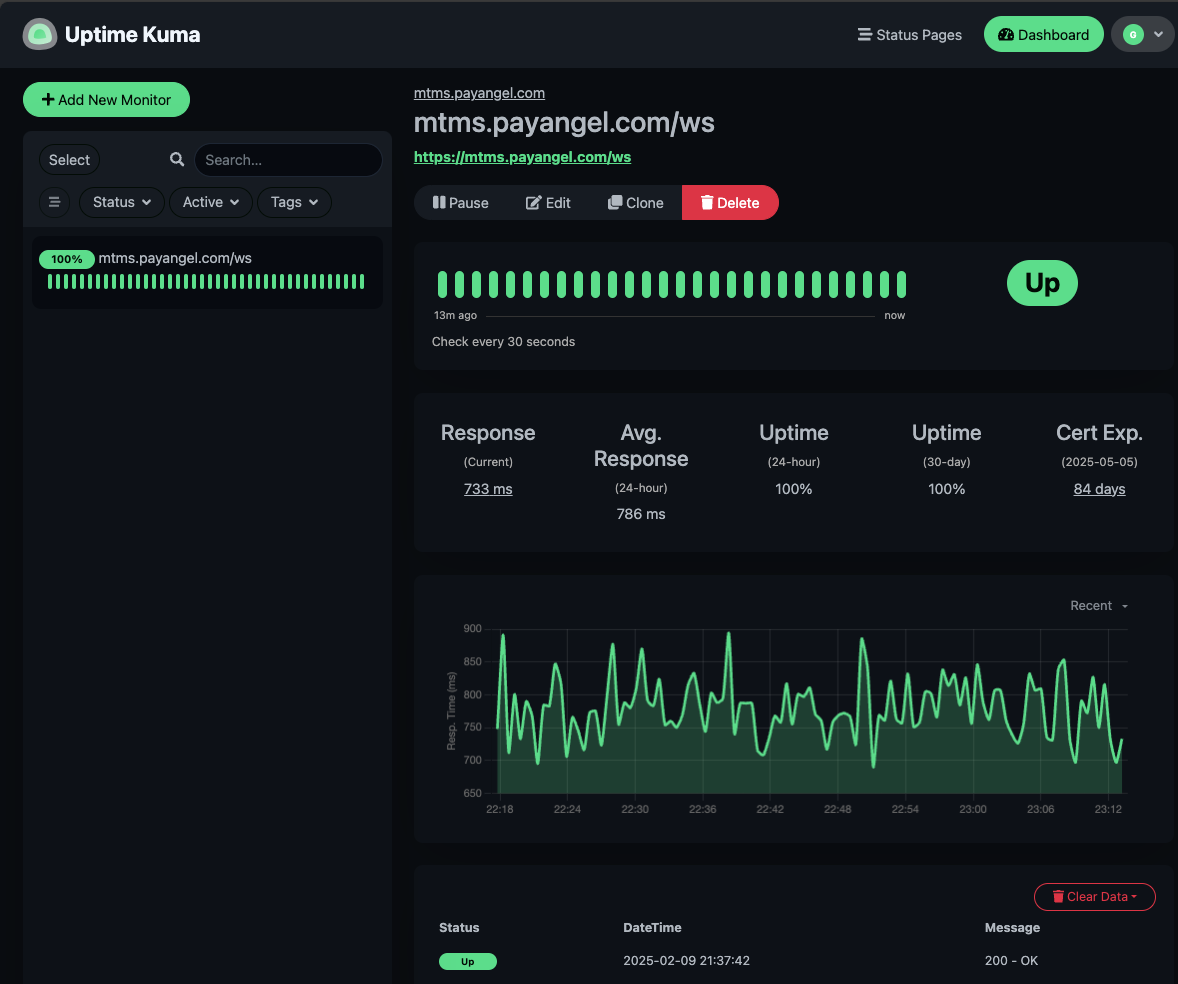
To ensure comprehensive monitoring, I set up Uptime Kuma on two different servers located in separate countries. Additionally, my client is planning to deploy it in their own environment. This means we’ll soon have three independent monitoring sources. My idea is simple: if the client’s application running in Azure starts experiencing errors, we can cross-check the logs from all three monitoring systems. If the website is down across all three, we can conclusively prove that the issue lies with the website itself, not the client’s infrastructure.
So far, Uptime Kuma has proven to be an excellent tool. Its extensive feature set, ease of use, and the fact that it’s completely free make it a standout choice for anyone in need of a reliable uptime monitoring solution. The open-source community behind it deserves immense appreciation for offering such a powerful tool at no cost.