SSL Made Simple: A Free Tool to Check, Convert, and Decode Certificates
SSL certificates are everywhere — but working with them can be a pain. I built a free online toolkit to check, convert, and decode certificates in seconds. It's a learning project, open source, and also available as a Docker image for private self-hosting.
Back when I was working extensively with F5 load balancers, SSL certificates were a constant companion. I received certificates regularly, generated private keys, and occasionally got keys and certs from partners as well - and with all that came the recurring need to check, convert, and decode them. It was a routine part of the job, yet the tools available to handle it were often scattered, clunky, or just got in the way.
So I built something cleaner.
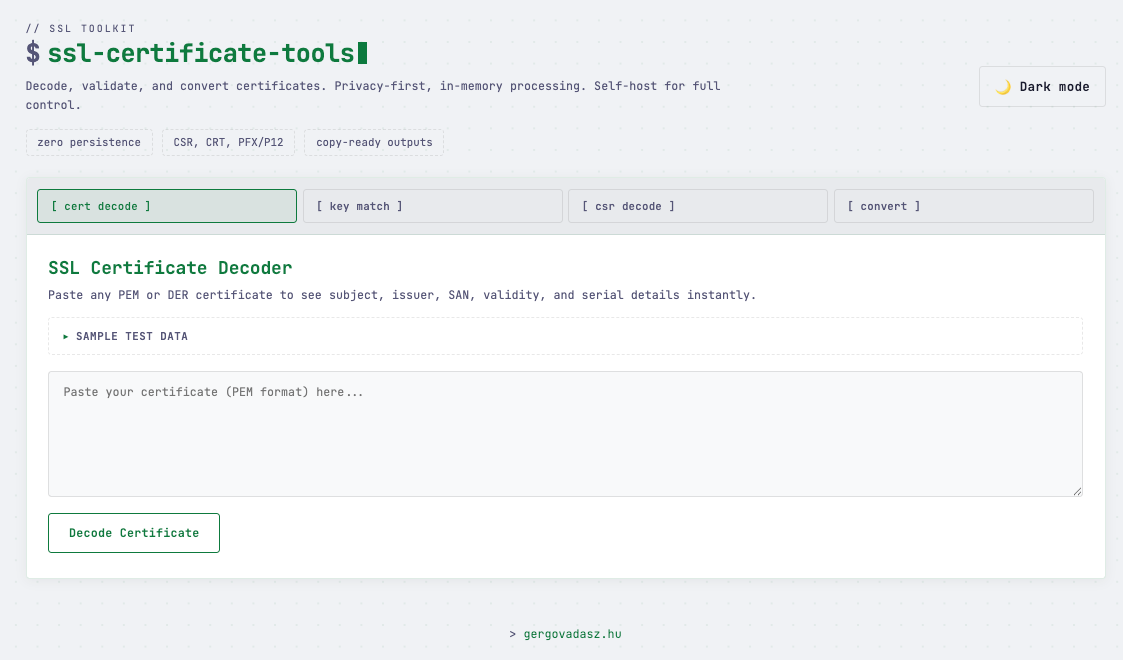
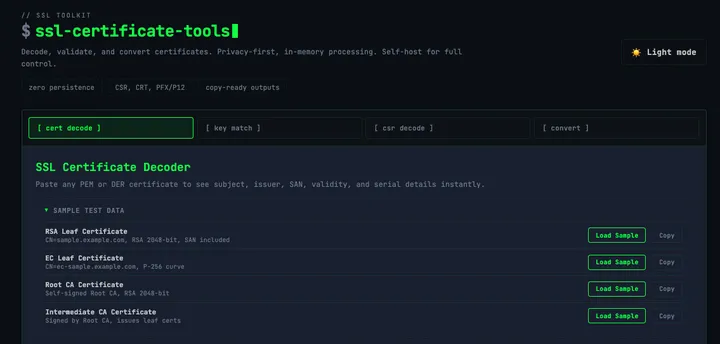
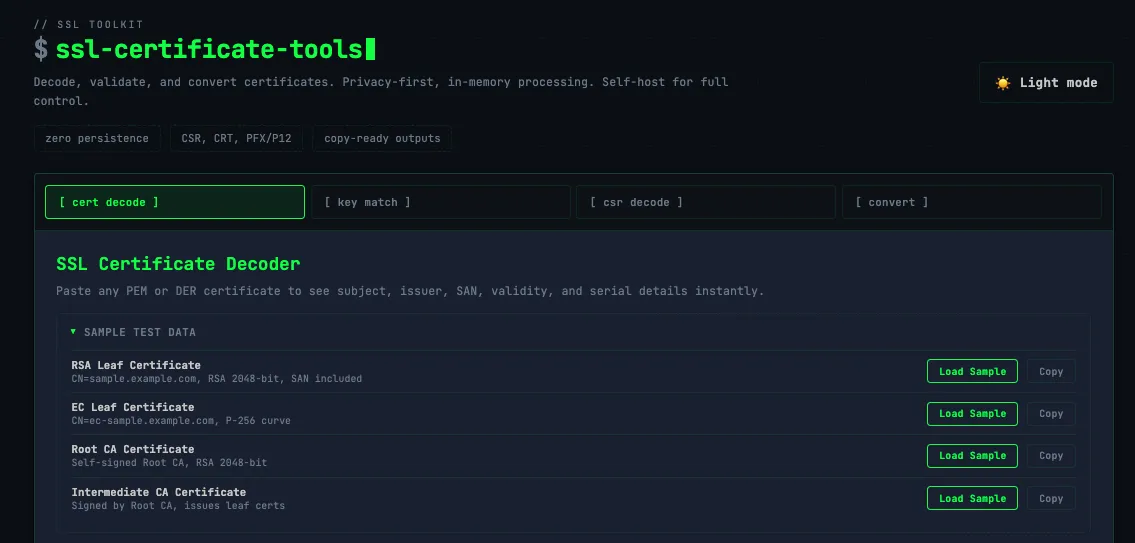
ssl.gergovadasz.hu is a free, no-frills SSL toolkit I put together to handle the four tasks I kept finding myself doing over and over again.
What It Does
Certificate Checker - Paste in a certificate, and it'll pull out everything you need at a glance: expiration date, issuer, subject, SANs, and validity status. Great for a quick sanity check before a deployment or after a renewal.
Cert and Key Matcher - Quickly verify that a certificate and a private key are a valid pair before putting them to use. It's a handy sanity check, especially when juggling multiple certificates at once.
Certificate Converter - SSL certificates come in a frustrating variety of formats: PEM, DER, PFX/P12, CRT, CER… and different servers, platforms, and tools each have their preference. The converter lets you take whatever you have and turn it into whatever you need, without having to touch OpenSSL on the command line if you don't want to.
CSR Decoder - A Certificate Signing Request is essentially a blob of encoded text, and reading what's inside it shouldn't require memorizing OpenSSL flags. Drop your CSR in, and the decoder lays out the common name, organization, key size, and all the other details in plain, readable form. Useful for double-checking a CSR before you submit it to a CA.
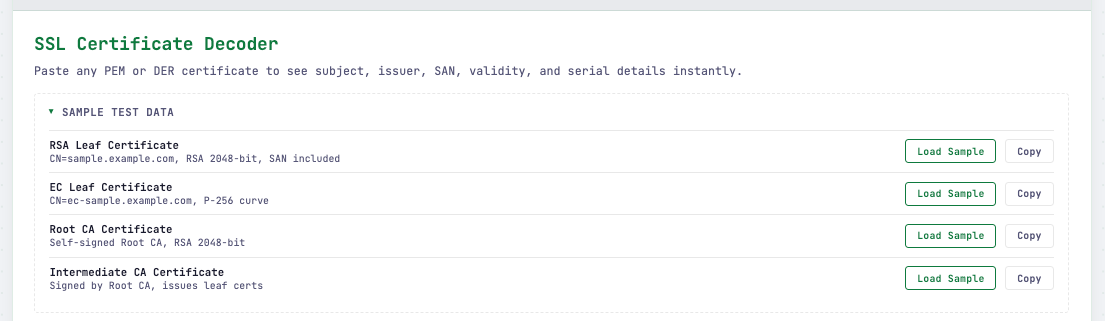
Every tool includes sample test data, so you can explore and learn without needing a real certificate on hand.
Why I Built It
Honestly, I built it because I needed it. Working across various projects means dealing with certificates regularly, and I got tired of jumping between different sites and terminals to do simple things. I wanted one place where I could handle the most common certificate tasks quickly and without distractions.
It's also a good example of the kind of small, focused tooling I enjoy building - something that does a few things well rather than trying to do everything.
Who It's For
If you're a developer, sysadmin, or DevOps engineer who works with SSL/TLS certificates with any regularity, this tool should save you some time. It's also handy for anyone who's just trying to understand what's in a certificate they've been handed and doesn't know where to start.
No sign-up, no tracking, no nonsense. Just go to ssl.gergovadasz.hu and use it.
⚠️ A Note on Security and Production Use
This tool was built primarily as a learning project - to explore how SSL/TLS certificates work under the hood and to practice building useful developer tooling. It's great for experimenting, understanding certificate structures, and handling non-sensitive data.
That said, please never input your production private keys into this - or any - public web tool. Private keys should stay private, and pasting them into a website you don't control is a serious security risk regardless of how trustworthy the site appears to be.
For anything production-related, I strongly recommend sticking to CLI tools instead. OpenSSL covers everything this toolkit does and more:
 1. Certificate Decoder

  openssl x509 -in cert.pem -text -noout

  2. Certificate & Key Matcher (RSA)

  # Compare modulus hashes — matching = valid pair
  openssl x509 -noout -modulus -in cert.pem | openssl md5
  openssl rsa -noout -modulus -in key.pem  | openssl md5

  2b. Certificate & Key Matcher (EC)

  # Compare public key hashes
  openssl x509 -noout -pubkey -in cert.pem | openssl md5
  openssl ec -pubout -in key.pem | openssl md5

  3. CSR Decoder

  openssl req -in request.csr -text -noout

  4. Certificate Converter

  # PEM → DER
  openssl x509 -in cert.pem -outform DER -out cert.der

  # DER → PEM
  openssl x509 -in cert.der -inform DER -outform PEM -out cert.pem

  # PEM (cert + key) → PFX/P12
  openssl pkcs12 -export -in cert.pem -inkey key.pem -out bundle.pfx

  # PFX/P12 → PEM
  openssl pkcs12 -in bundle.pfx -out all.pem -nodes

  Bonus: Base64 encode PFX for pasting

  base64 -i certificate.pfx | pbcopy   # macOS
  base64 certificate.pfx               # Linux
If you still want a graphical interface like this one but need it for production use, the good news is that this tool is available as a Docker image. You can self-host it in your own private environment, keeping everything behind your own infrastructure where your sensitive data never leaves your control.