AWS Lambda VPC Integration: Internet Access via NAT Gateway (with Terraform code)
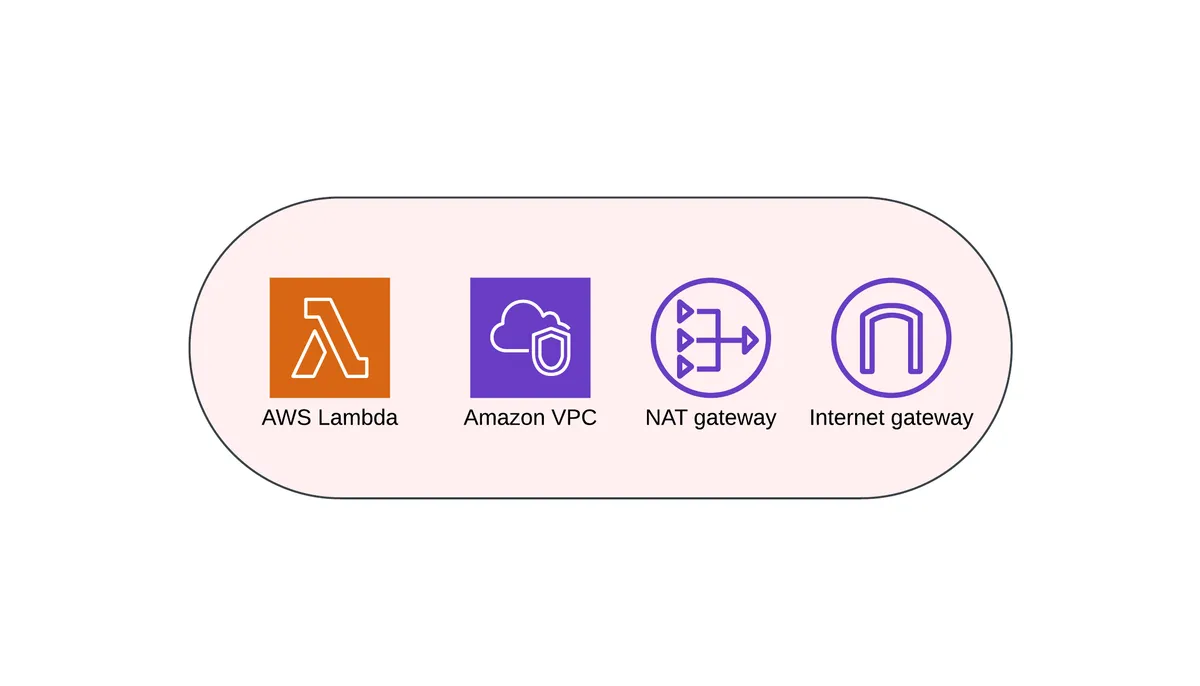
AWS Lambda is a powerful serverless compute service, but when integrated with an Amazon VPC (Virtual Private Cloud), it loses direct internet access. To allow outbound connections, such as calling external APIs, you need to integrate it with a NAT Gateway. In this post, I'll walk you through how to set up this integration using Terraform and demonstrate it with a Lambda function that retrieves its public IP using curl ifconfig.me.
Why Does Lambda Lose Internet Access in a VPC?
By default, AWS Lambda functions run in an isolated environment with internet access via AWS-managed Lambda VPC. However, when a Lambda function is placed inside a VPC subnet without an internet gateway (IGW), it cannot access the internet unless explicitly configured. The solution is to route outbound traffic through a NAT Gateway, which enables internet access while keeping Lambda inside a private subnet.
Architecture Overview
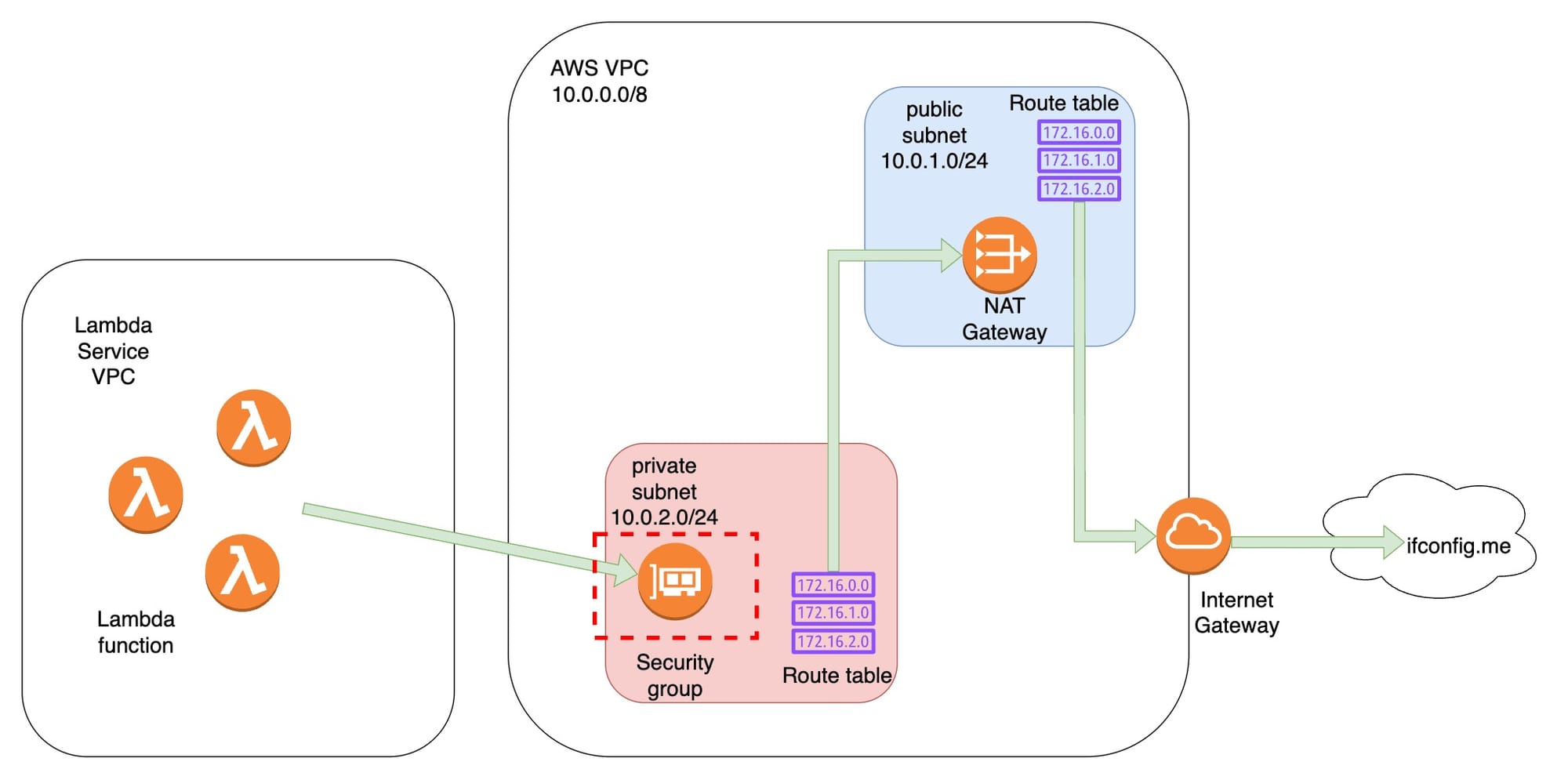
This is the high level diagram:
We will deploy the following AWS components:
- A VPC with public and private subnets.
- A NAT Gateway in the public subnet to provide outbound internet access for Lambda.
- A Lambda function inside a private subnet, which will attempt to fetch its public IP.
- An Internet Gateway (IGW) to allow the NAT Gateway to reach the internet.
- A Security Group and Route Tables configuration to enable proper traffic flow.
Step-by-step deployment
- Create a VPC with 10.0.0.0/16 CIDR

- Create 2 subnets, one called public with 10.0.1.0/24, another one called private with 10.0.2.0/24
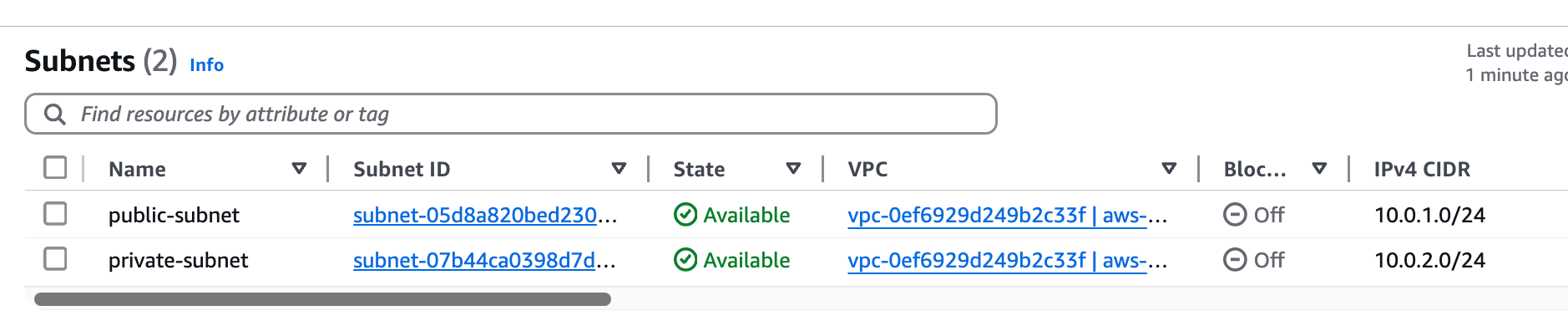
- Create Internet Gateway, attach it to the VPC

- Create a NAT Gateway in the public subnet

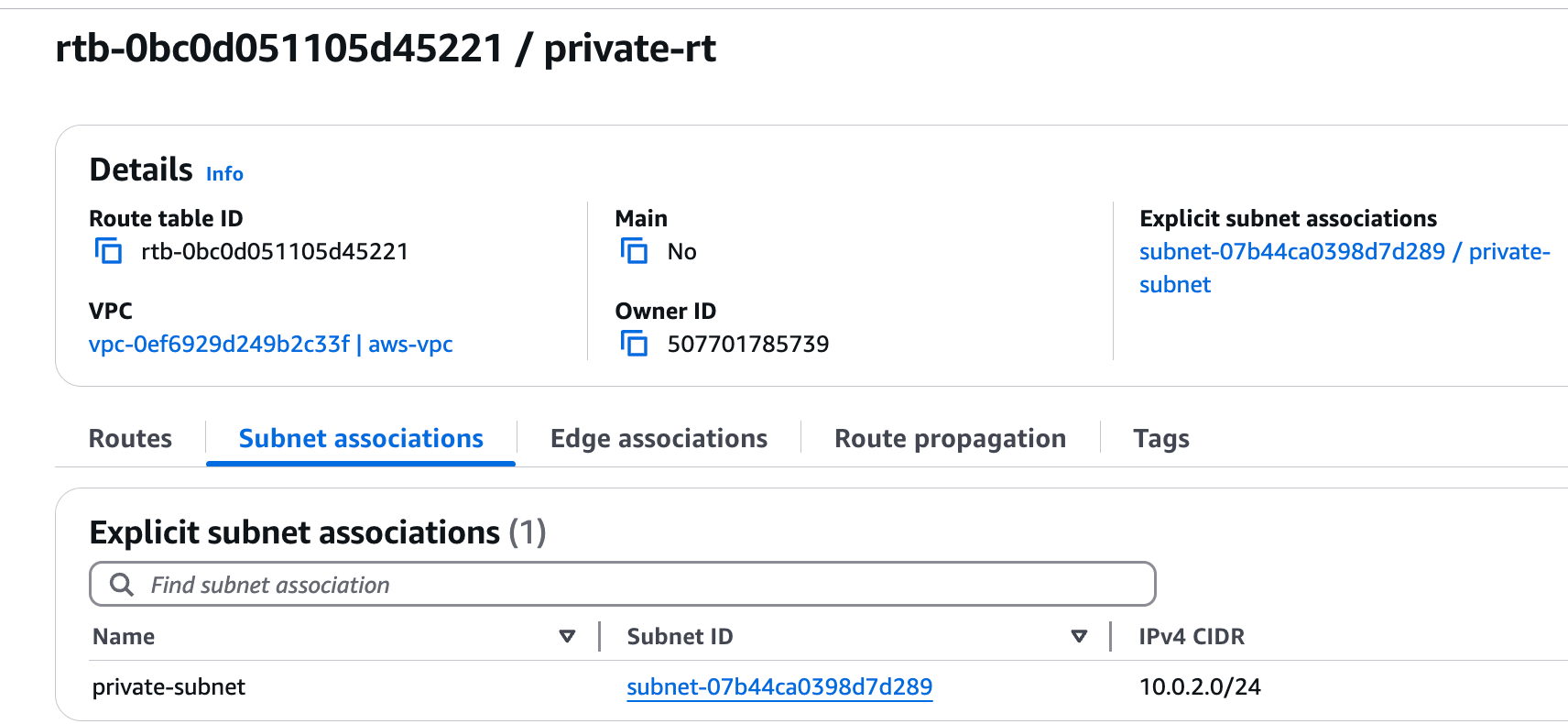
- Create a route table called private-rt, associate with the private subnet
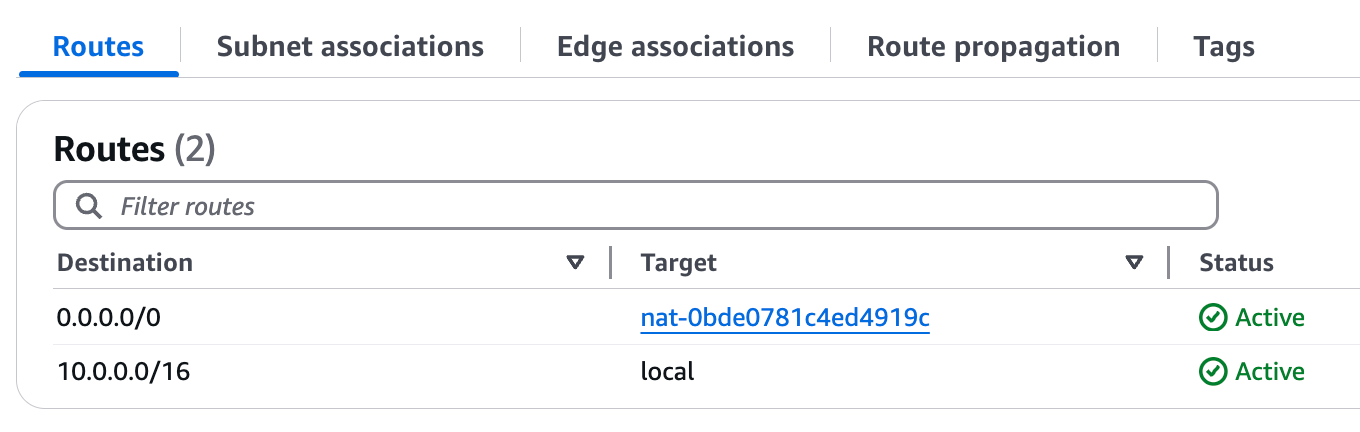
- Create route in private-rt, with 0.0.0.0/0 pointing to the NAT Gateway
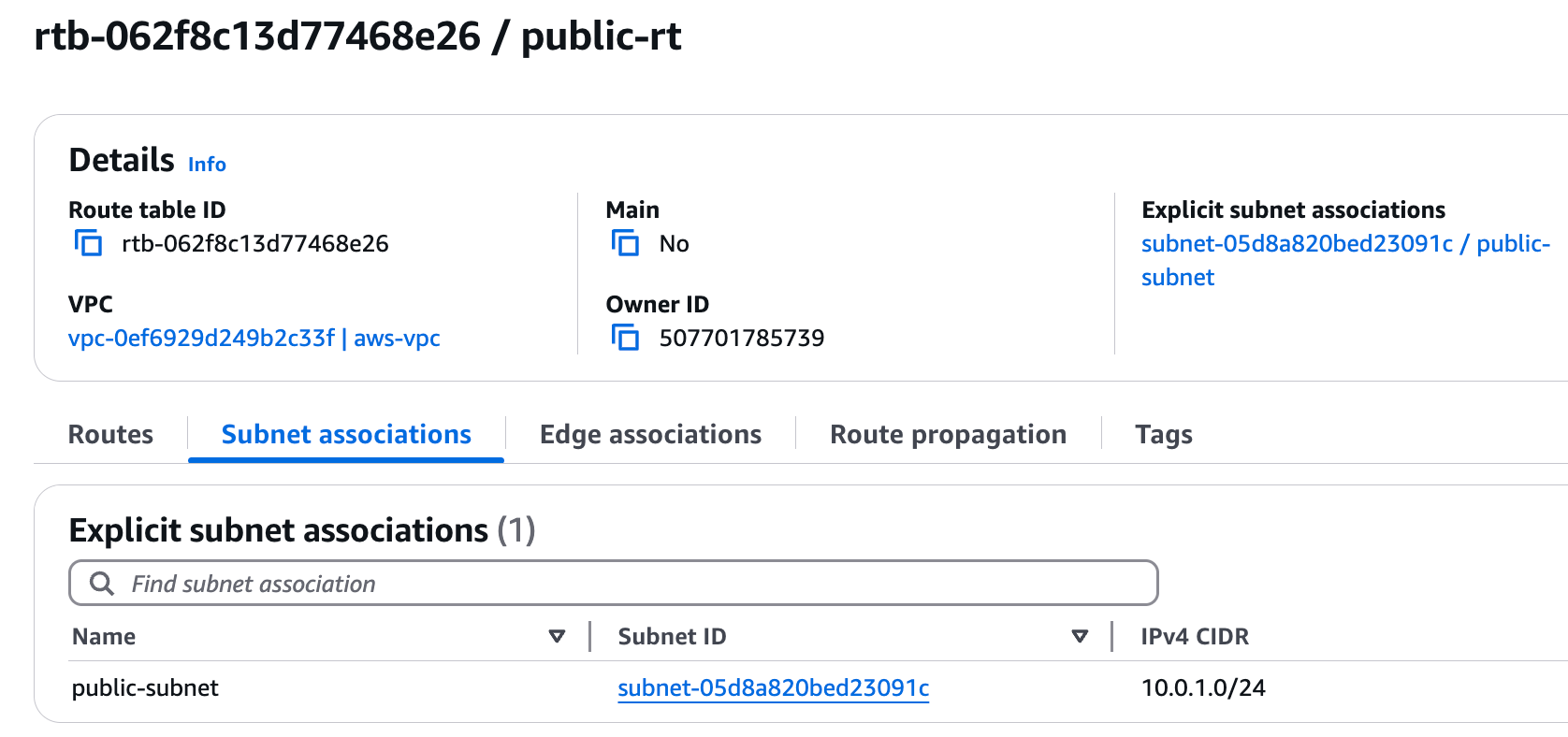
- Create a route table called public-rt, associate with the public subnet
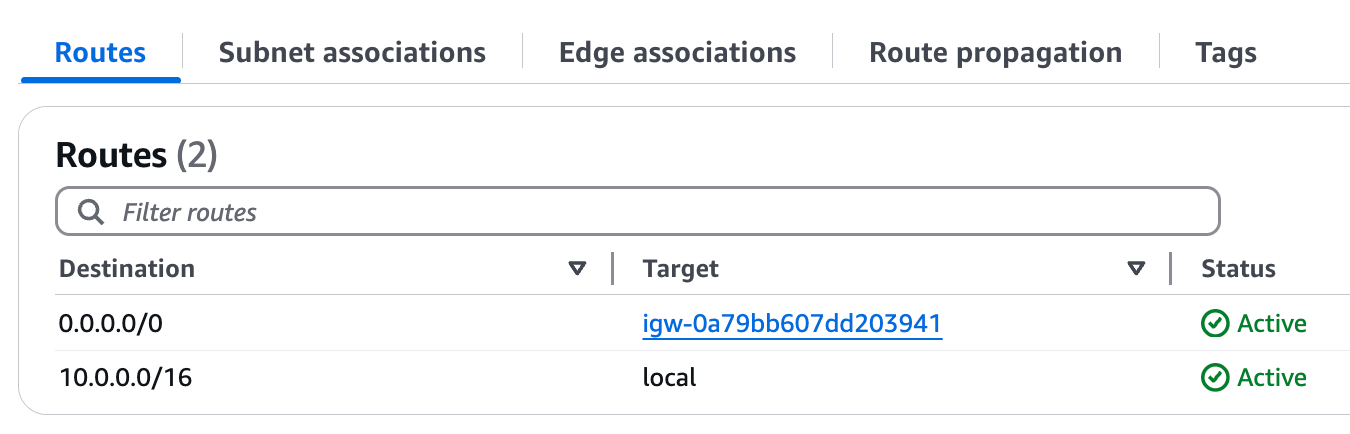
- Create route in public-rt, with 0.0.0.0/0 pointing to the Internet Gateway
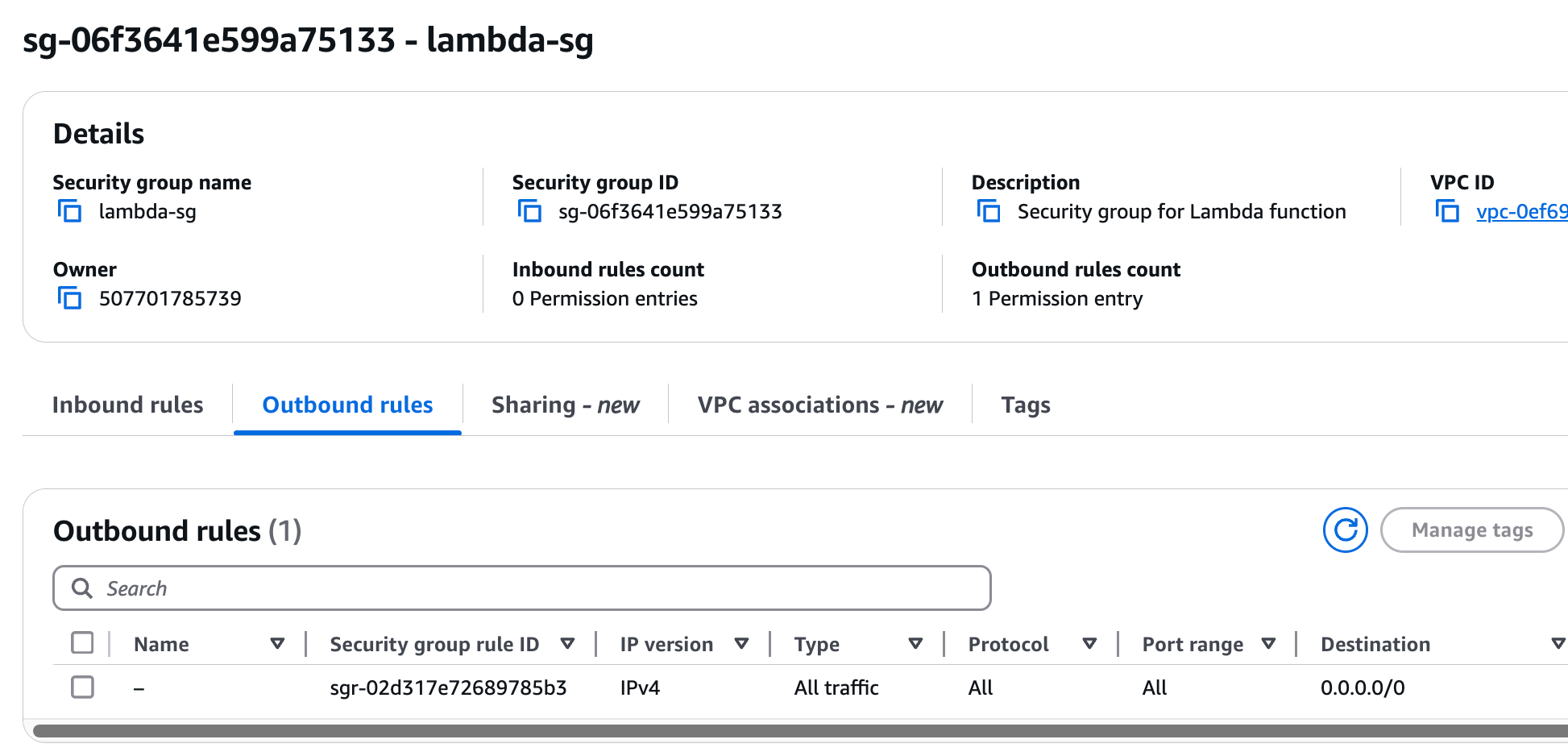
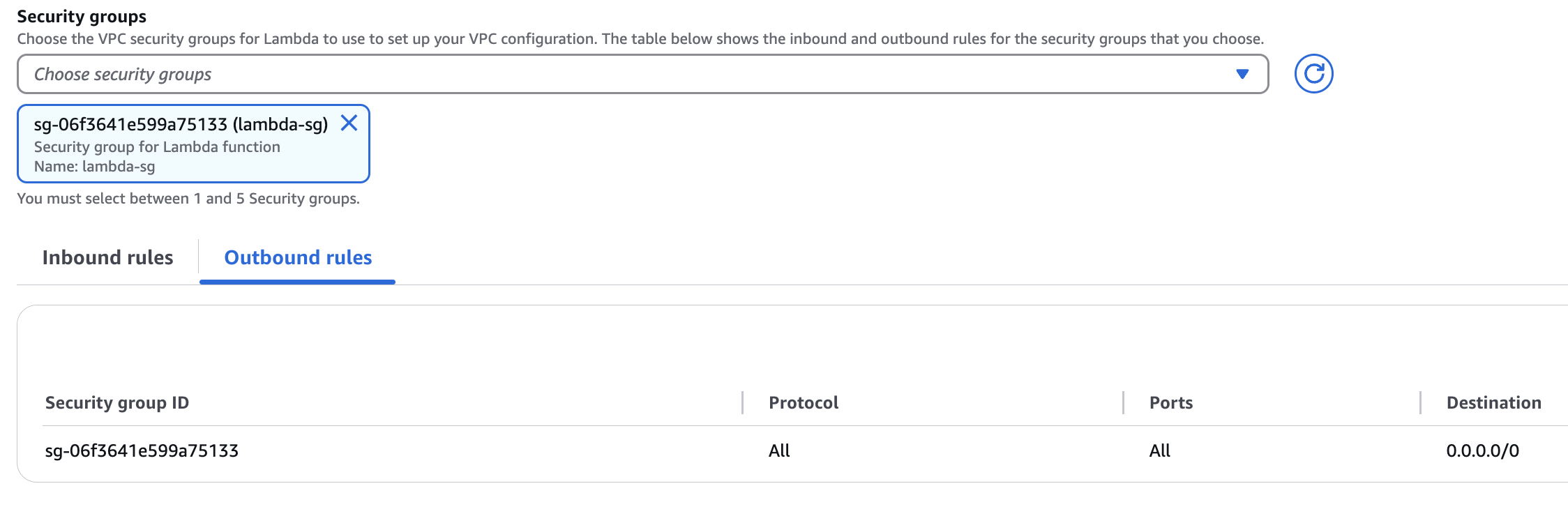
- Create a security group for Lambda called lambda-sg, which has outbound 0.0.0.0/0 allow rule
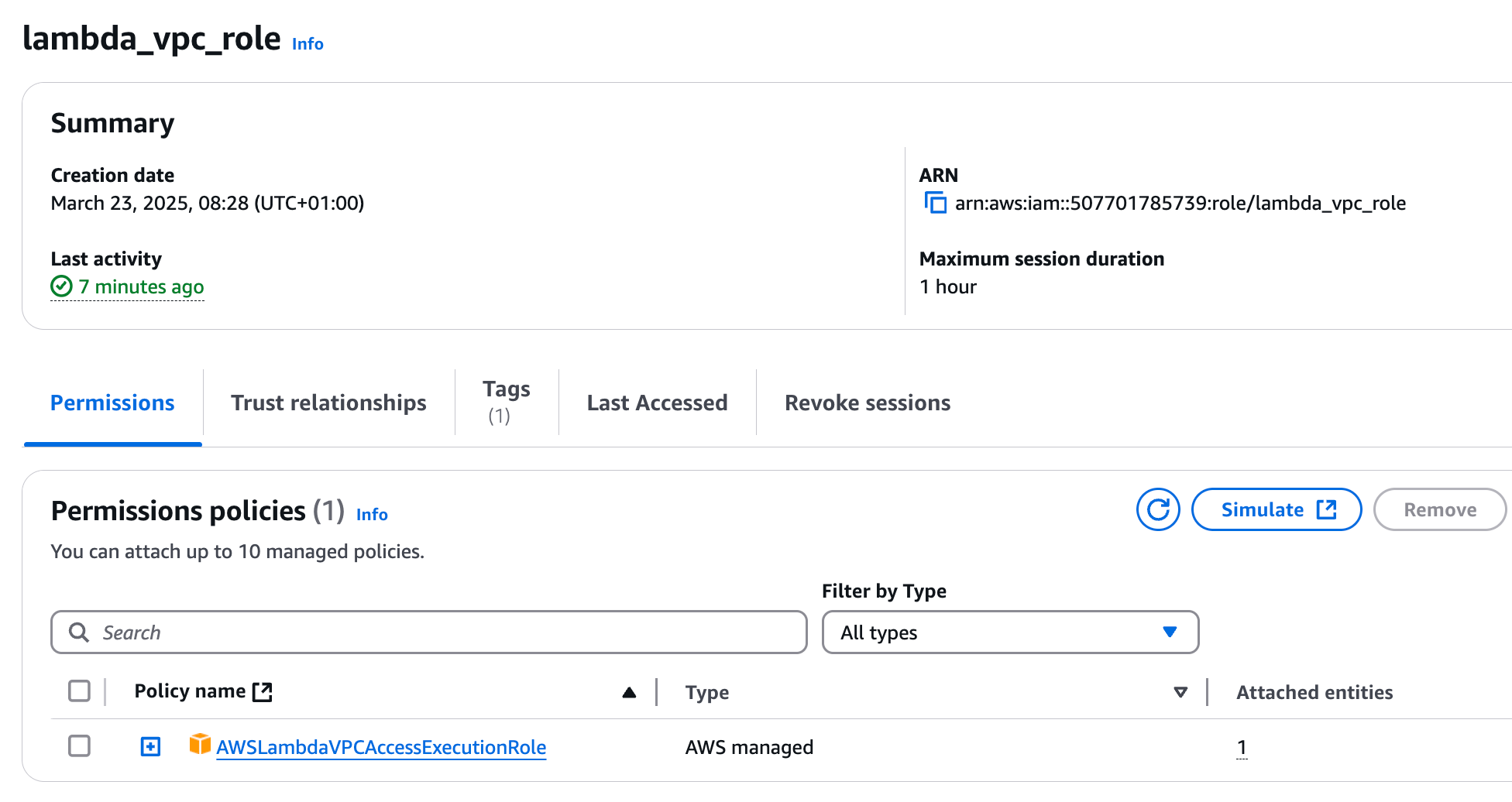
- Create a Lambda VPC role with the AWSLambdaVPCAccessExecutionRole permission policy
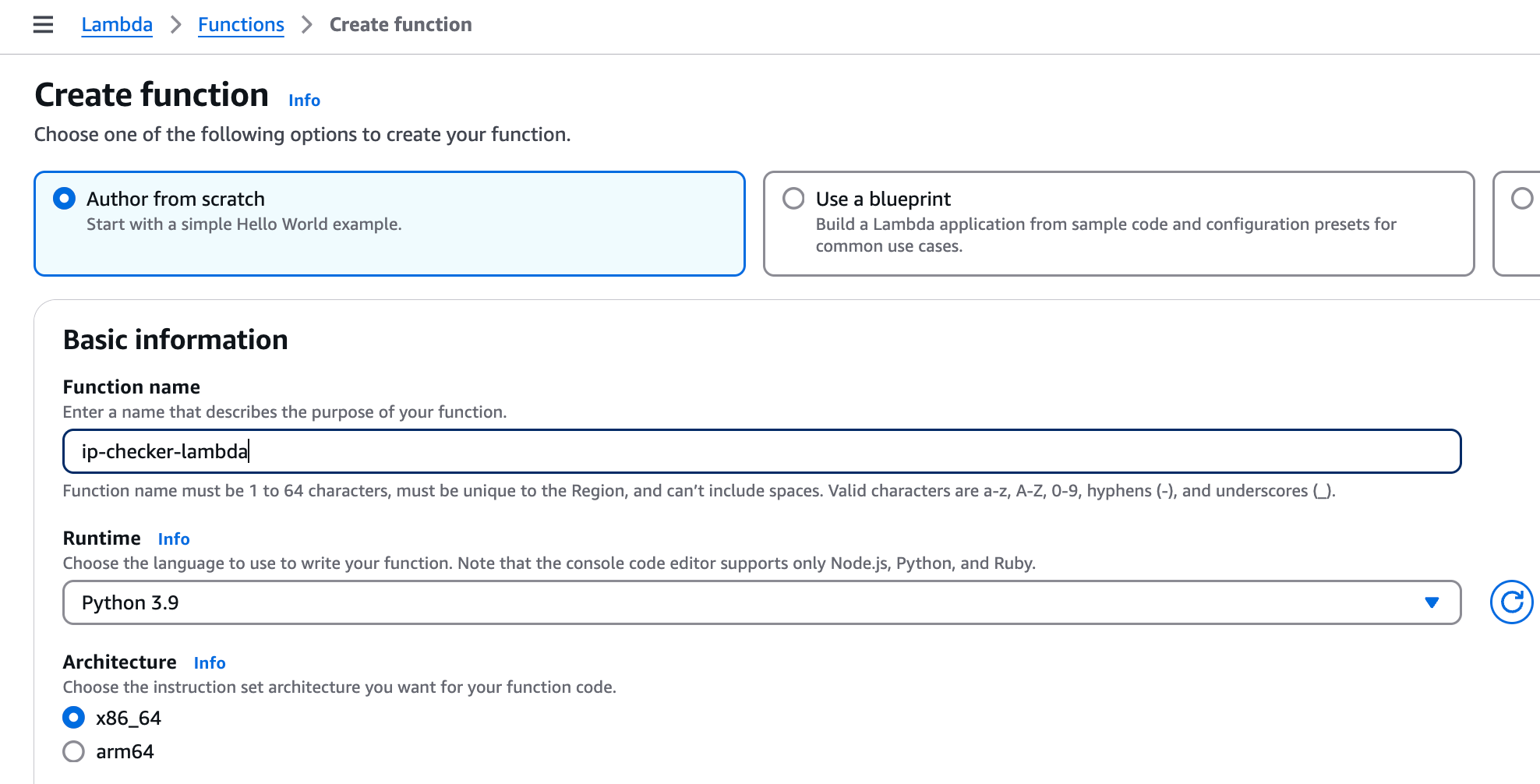
- Create Lambda function with Python 3.9 runtime
- Pick the previously created Lambda role under Permissions
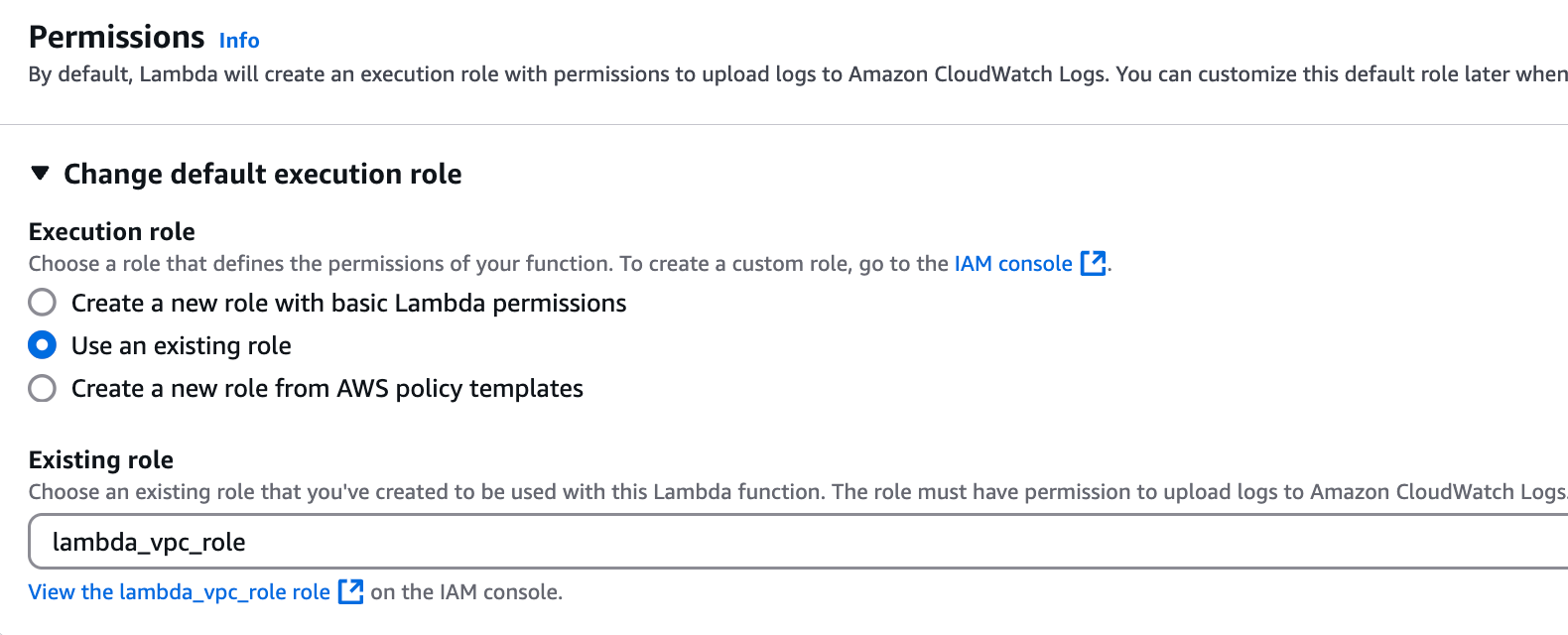
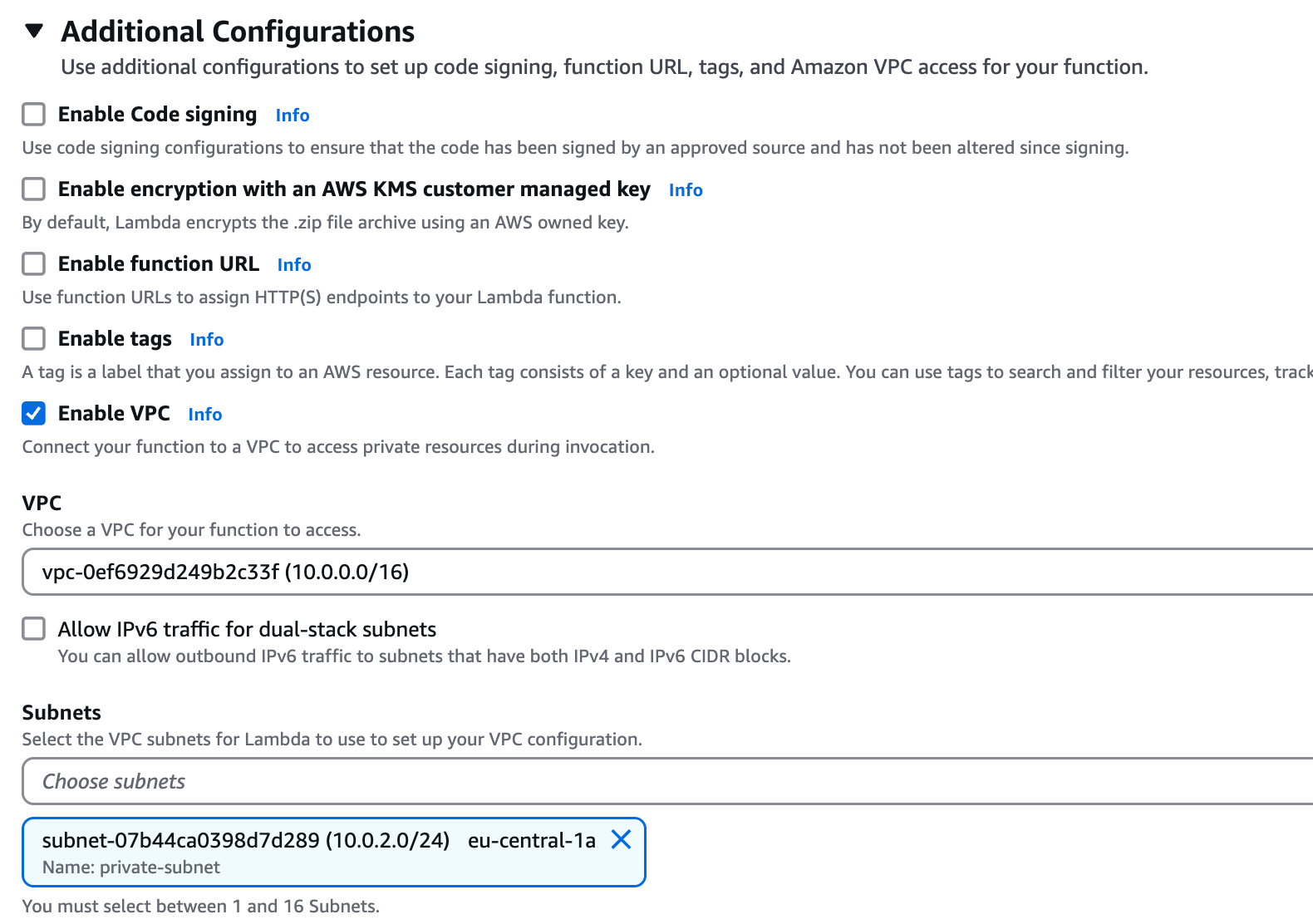
- Allow the Lambda function to access the VPC, specifically the private subnet
- Associate the lambda-sg security group with the Lambda function
- Paste the following code in the lambda_function.py file
import json
import urllib.request
import time

def lambda_handler(event, context):
    try:
        # Add a small delay to ensure the Lambda has time to warm up
        time.sleep(1)

        # Get the public IP
        response = urllib.request.urlopen('https://ifconfig.me/ip', timeout=5)
        public_ip = response.read().decode('utf-8').strip()

        return {
            'statusCode': 200,
            'body': json.dumps({
                'message': 'Success',
                'public_ip': public_ip
            })
        }
    except Exception as e:
        return {
            'statusCode': 500,
            'body': json.dumps({
                'message': 'Error',
                'error': str(e)
            })
} - Deploy the function, then create test with an empty message. Initiate test and it should respond back the public IP of the NAT Gateway, prooving that traffic was leaving out the VPC through our NAT Gateway/Internet Gateway.
Response:
{
  "statusCode": 200,
  "body": "{\"message\": \"Success\", \"public_ip\": \"3.70.121.174\"}"
}
Cleaning up resources
In order to avoid orphaned lambda network interfaces, we need to start cleaning up with removing VPC access from the lambda configuration.
Under the lambda function, go to Configuration / VPC, then Edit, and change the VPC to None.
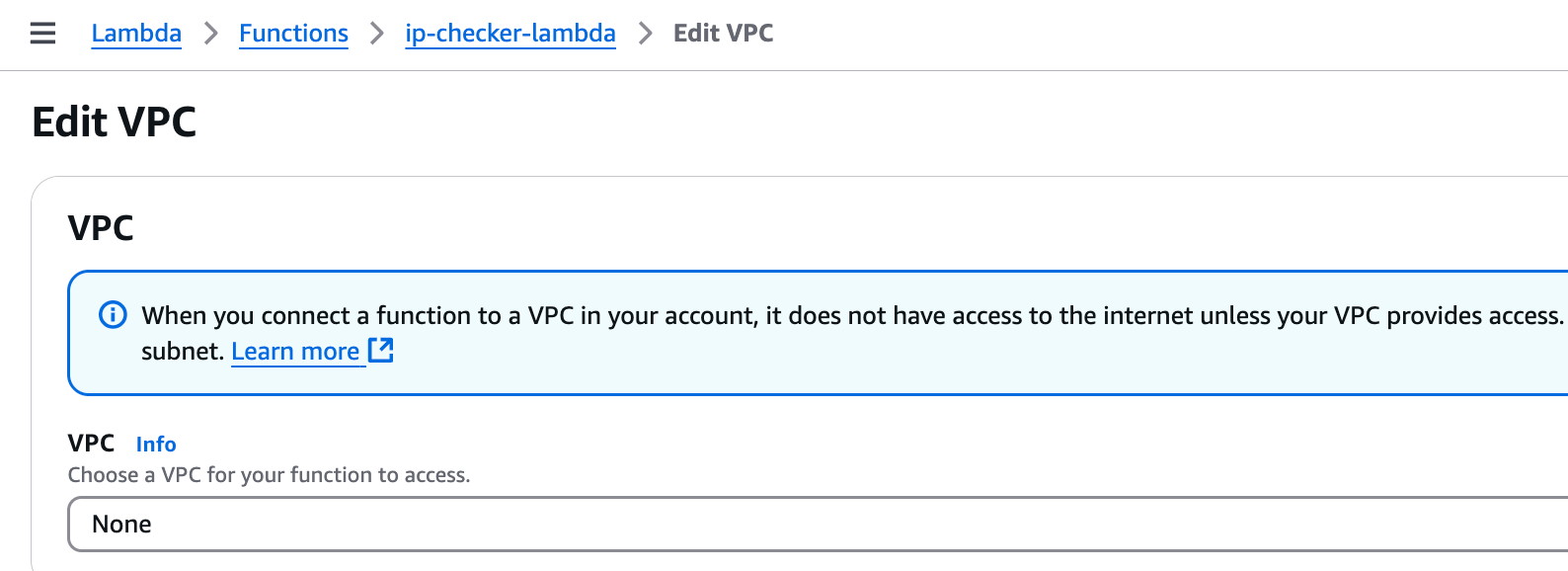
Then AWS needs around 20 minutes in order to remove the network interface association it created for the lambda-vpc integration. Once that network interface association is removed by AWS (not the network interface itself), you can delete every resource we created in this guide.
I hope this guide was informative and helpful. In order to automate this whole guide, continue below with the Terraform approach. If you have any questions, feel free to contact me or write a comment.
Automatic deployment with Terraform
I created the terraform code for this guide, so anyone interested can deploy and test without manually setting up resources in AWS. This assumes AWS CLI and Terraform is already installed on your PC. You can view the Terraform part with a free signup to my website.